Summary
The catalogue now carries, per show and per language, a transparent title logo (logoTitle), two landscape pictures (artwork.landscape with the logo burned in, artwork.landscape_no_logo without it), and, on What's New items, the show's cover (seriesImage) and a hasTrailer flag. The TV app uses them as follows:
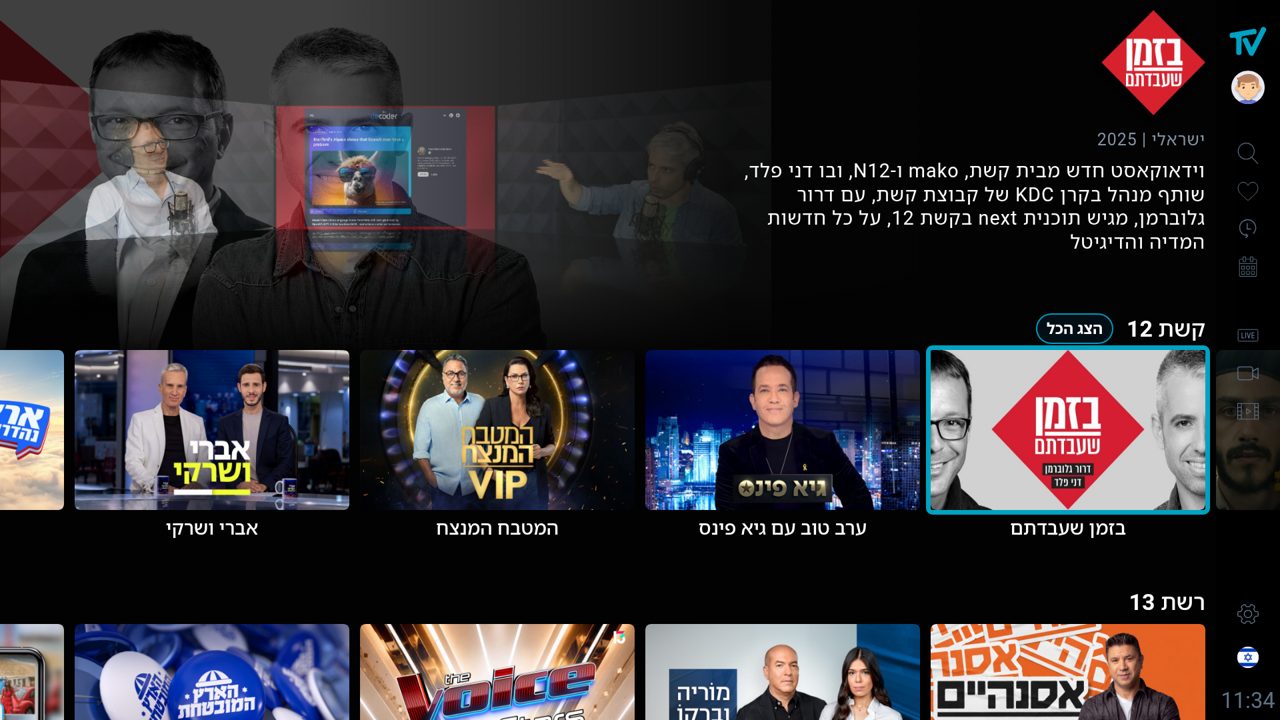
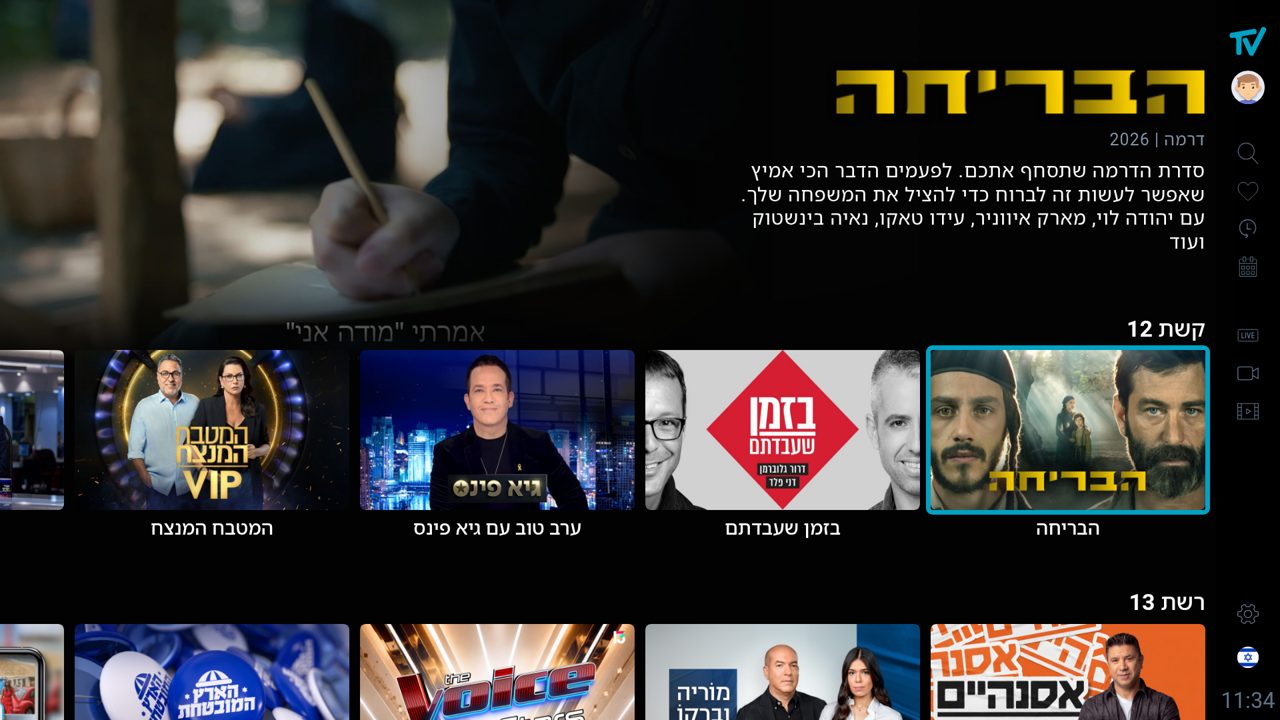
- The hero of every VOD page shows the title logo instead of the text title when the show has one for the current language. Without a logo, the text title is set in a heavy, logo-like style.
- Cards show the picture with the logo; the hero background shows the clean picture without it.
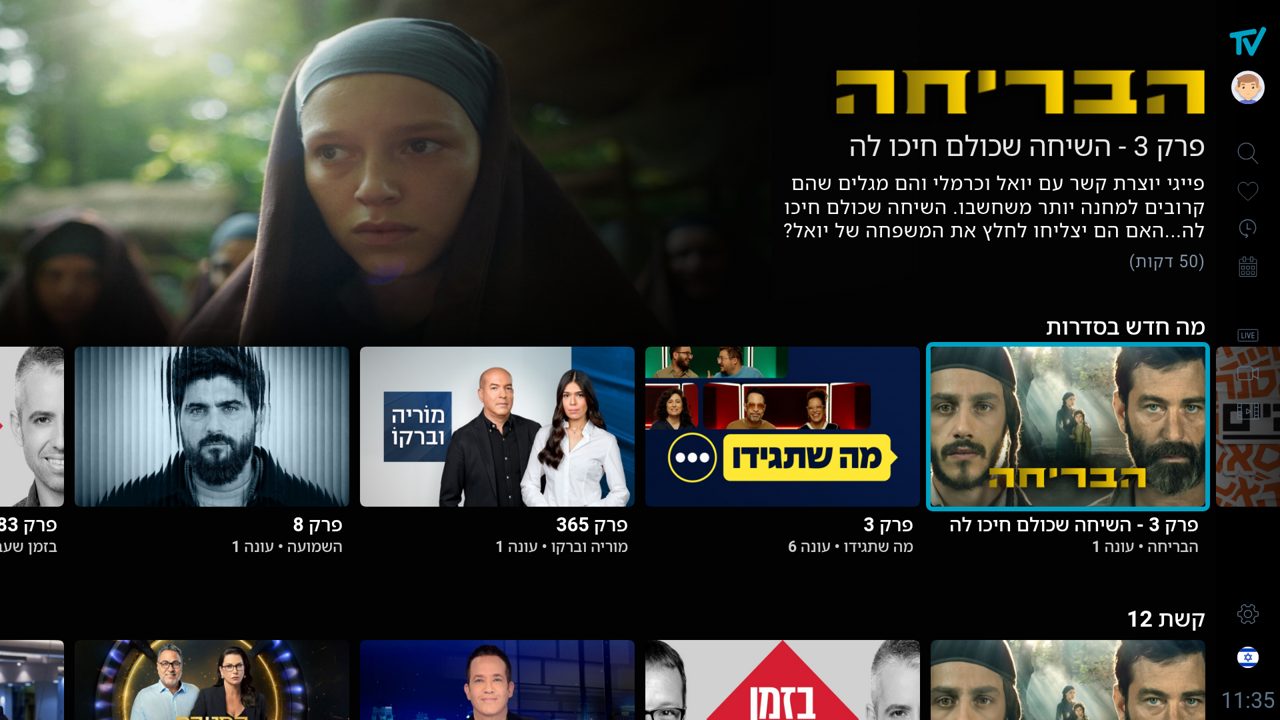
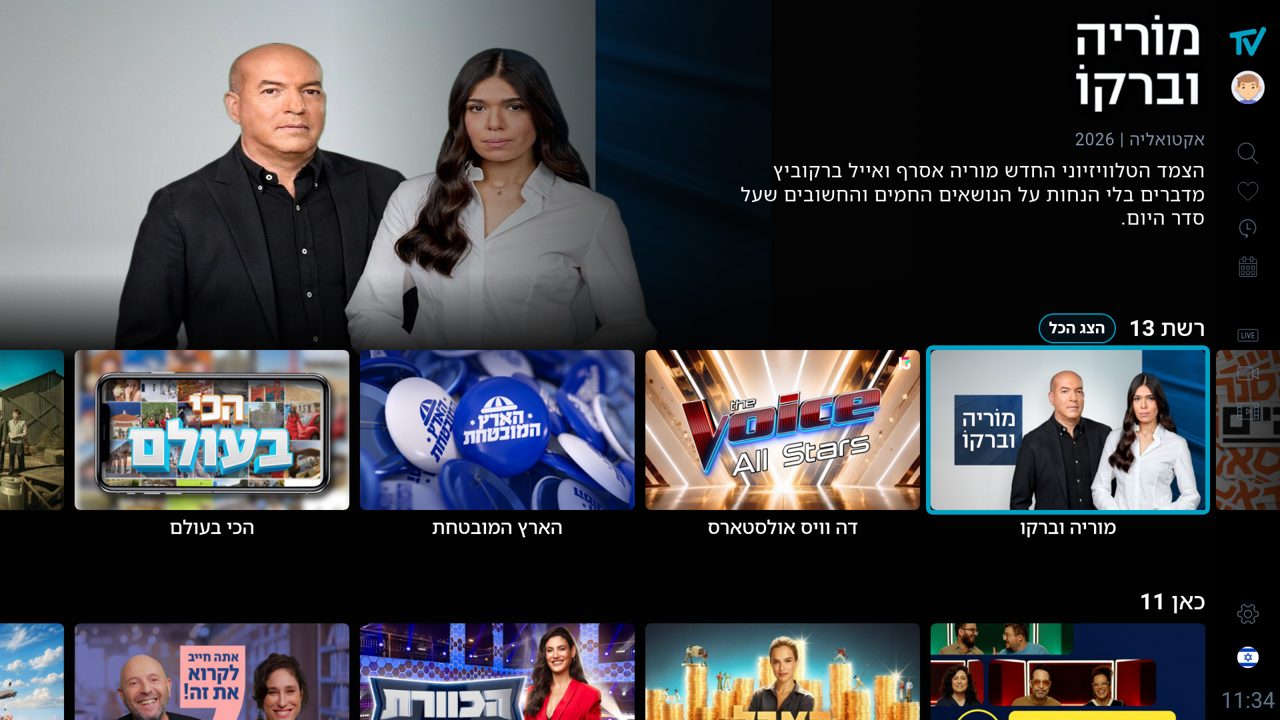
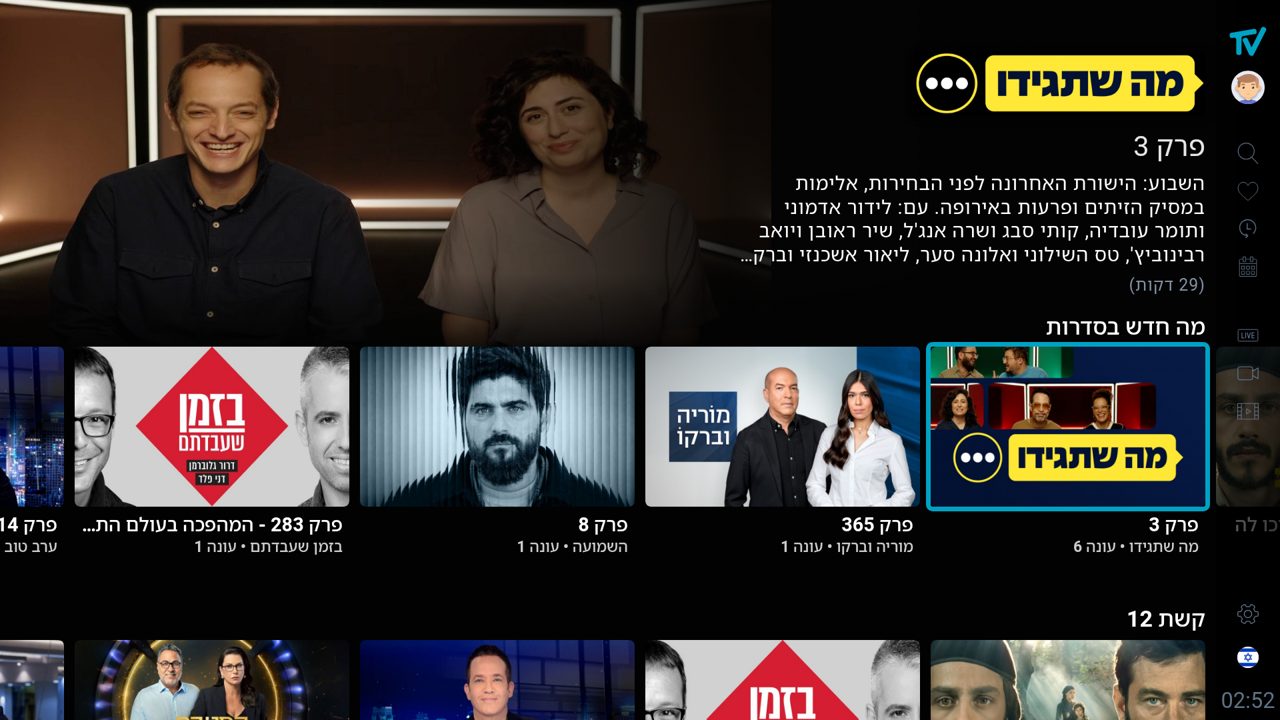
- What's New episode items show the show's cover on the card and the episode frame in the hero, carry the show's logo, and do not show the genre / year line. What's New movies keep it.
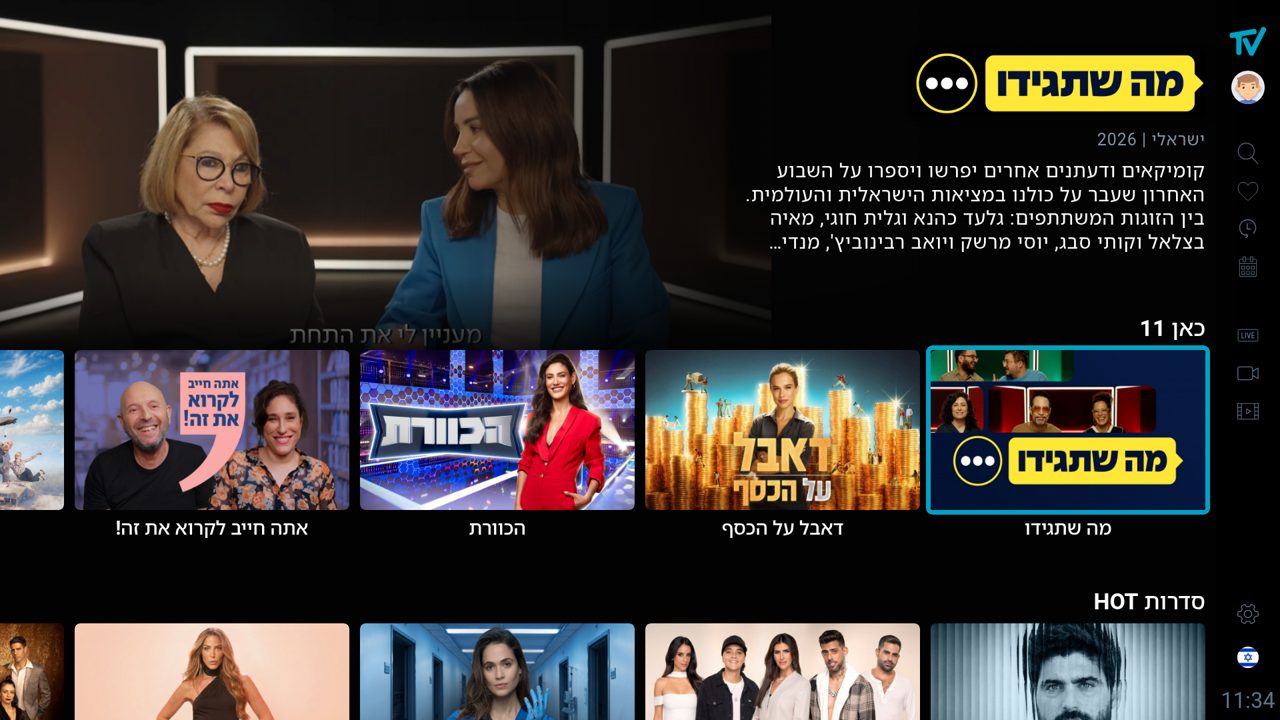
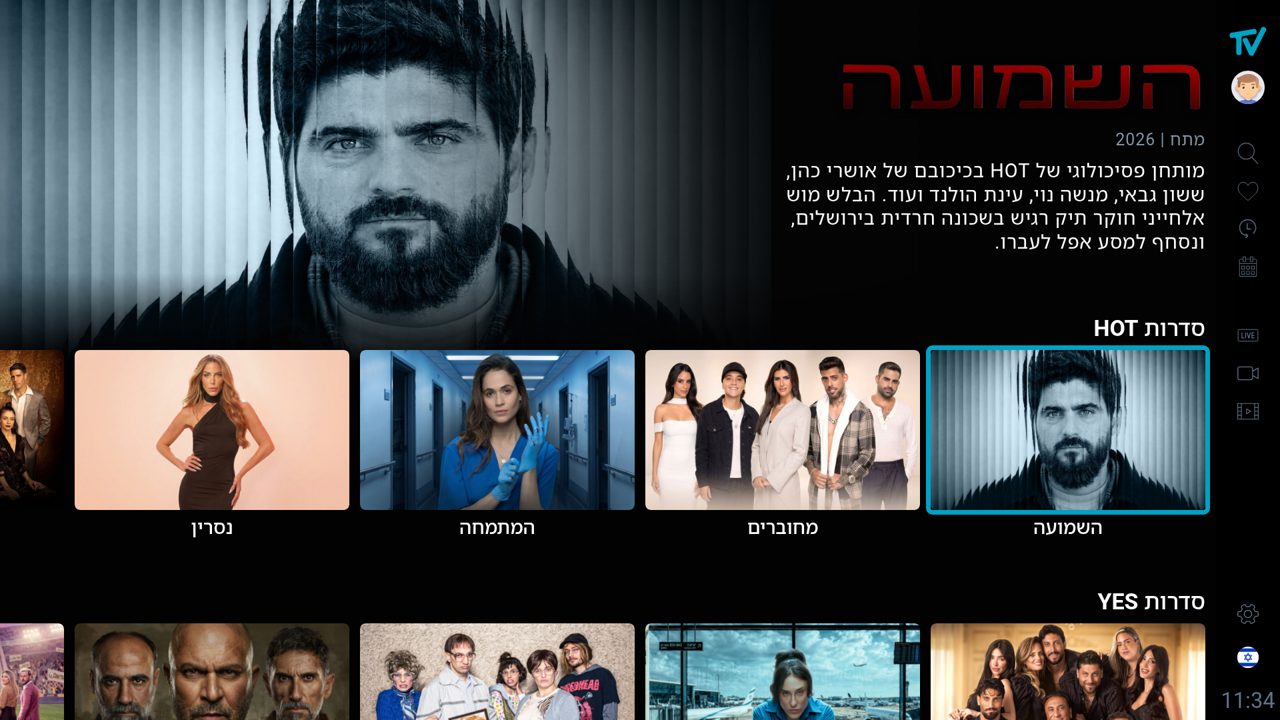
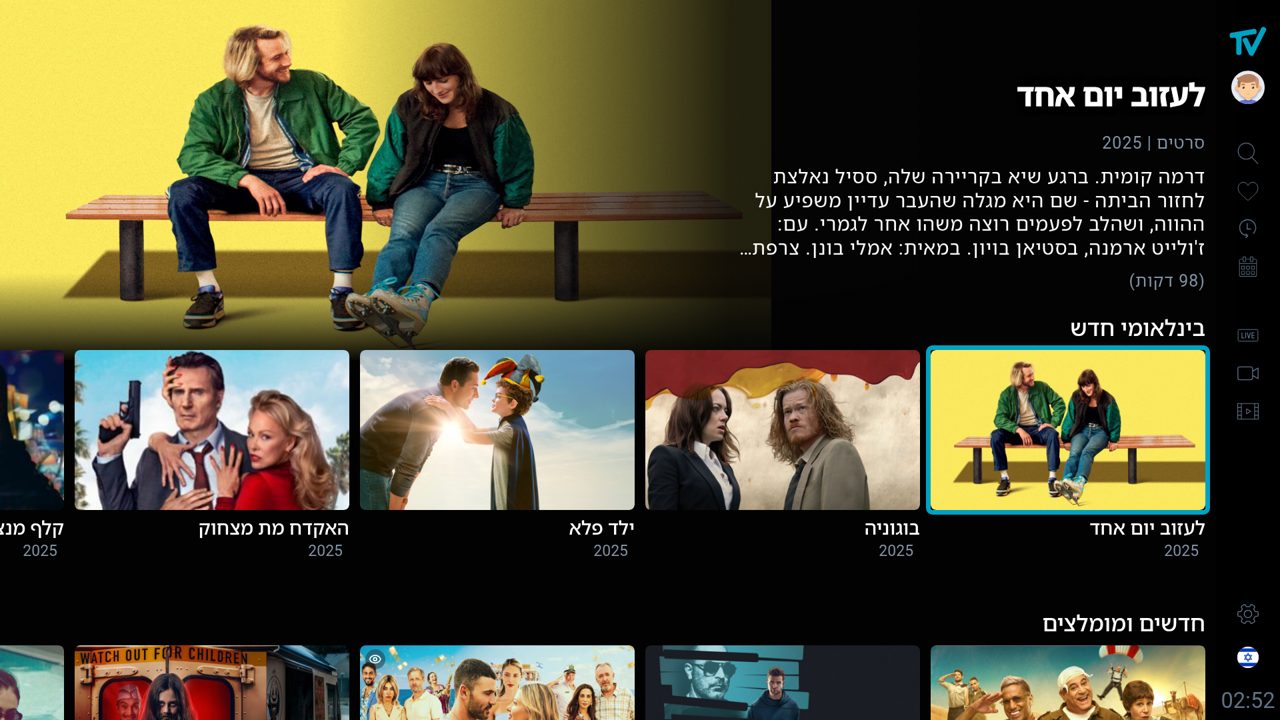
- Description: 4 lines on the Series and Movies pages (What's New included), 3 on Telenovelas, Docu and Kids. The duration stays on its own last line.
- Trailers are requested only when the item says
hasTrailer: true. - No extra requests: everything above comes from the list and What's New answers the apps already make.
API fields
Base: https://apps-api.ipt.to. Catalogue calls send locale and no session id.
| Endpoint | Fields used |
|---|---|
GET /v2/vod/categories/main?locale=he|en | Root tabs (series, movies, telenovelas, docu, kids). |
GET /v2/vod/categories/{id}/list?locale=&page=&size= |
results.items[] (child categories = shows): logoTitle, artwork.landscape, artwork.landscape_no_logo, artwork.portrait, showpic, hasTrailer, name, genre, year, description.results.category (the requested show itself): the same fields, used by the series page. |
GET /v2/vod/categories/{id}/vods?locale=&page=&size= | Movies and episodes: showpic, hasTrailer, logoTitle when present. Movie items carry artwork too (same landscape / landscape_no_logo pair) where the catalogue has it. On 23 Oct 2026 the movies root list already has it; many sub-category movies still have artwork: null, and the app falls back to showpic for both card and hero on those. |
GET /v2/vod/categories/{mainId}/vods/new?locale=&upper=1&size=25 | What's New. Each item has vod, category (the season) and upper[] (main → broadcaster → show → season, ids and names). On vod: seriesImage, logoTitle, hasTrailer, showpic (episode frame), artwork (movies: the landscape pair), type (episode or vod). |
GET /v2/play/trailer/{series|movie}/{id}?sid= | Trailer stream. Needs a session. Answer: { error: 0, streams: [url, …] }; play streams[0]. |
Field reference
| Field | Value | Use |
|---|---|---|
logoTitle | Absolute URL of a transparent PNG, or null | Title logo in the hero's title slot |
artwork.landscape | Absolute URL (JPG) or null | Card picture (logo burned in) |
artwork.landscape_no_logo | Absolute URL or null | Hero background behind the focused item; series page background |
artwork.portrait | Absolute URL or null | Not used by the TV app yet |
showpic | Protocol-relative URL (//images.peer5.net/…) | Fallback for card and hero; the episode frame in What's New |
seriesImage | Absolute URL | What's New episode card (the show's cover) |
hasTrailer | true / false | Whether to request a trailer at all |
// gets https: in front; a value starting with http is used as is; anything else is appended to the API base. Card copies are resized by the CDN with ?s=480 (poster and programme paths only); hero and logo images are loaded at full size.Language
The API localises logoTitle. With locale=he it returns the Hebrew logo; with locale=en it returns the English logo only when one exists, otherwise null. The apps therefore never choose a logo themselves: request the catalogue in the UI's language and use what comes back. A Hebrew logo must not appear in the English UI; when logoTitle is null, show the text title.
Any cache of catalogue data that includes logos must be keyed by language as well as by id.
Card and hero images
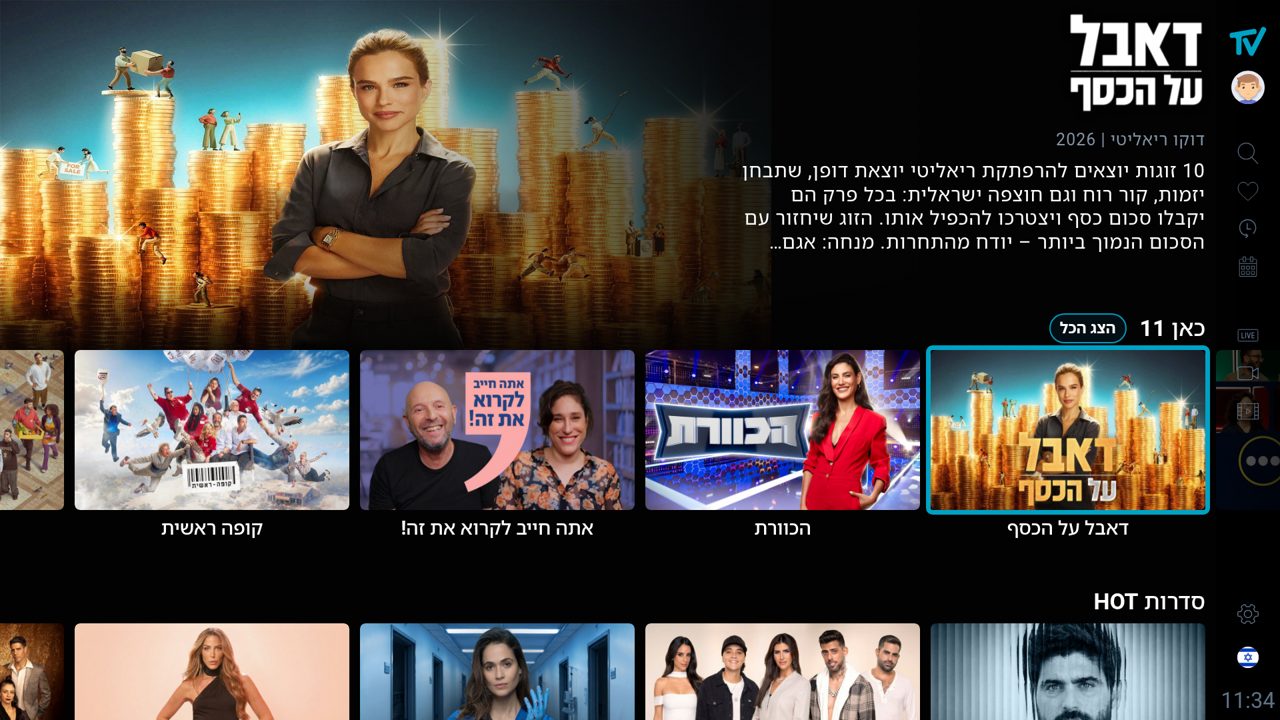
The rule in words, and it is the same for series and movies alike (and for telenovelas, docu and kids, which are series or movies underneath): every title has two landscape pictures. The one with the logo burned in (artwork.landscape) is for the card in a row, where there is no room for a separate title. The one without the logo (artwork.landscape_no_logo) is for the hero behind the focused show and for the series page background, because there the title is drawn separately, as the logoTitle image or as text, and a second logo inside the picture would double it.
Fallbacks, in order, when a field is missing or null:
- Card:
artwork.landscape→showpic(the picture the catalogue always had). - Hero:
artwork.landscape_no_logo→artwork.landscape→showpic. A show without the clean picture simply shows its card picture in the hero, as before. - Title:
logoTitle→ the text title in the logo style (see Text fallback).
Nothing is left empty: the pre-existing showpic is always the last fallback for both pictures, so a show with none of the new fields looks exactly as it did before.
| Item | Card | Hero / background |
|---|---|---|
| Series (category item) | artwork.landscape, else showpic | artwork.landscape_no_logo, else the card picture |
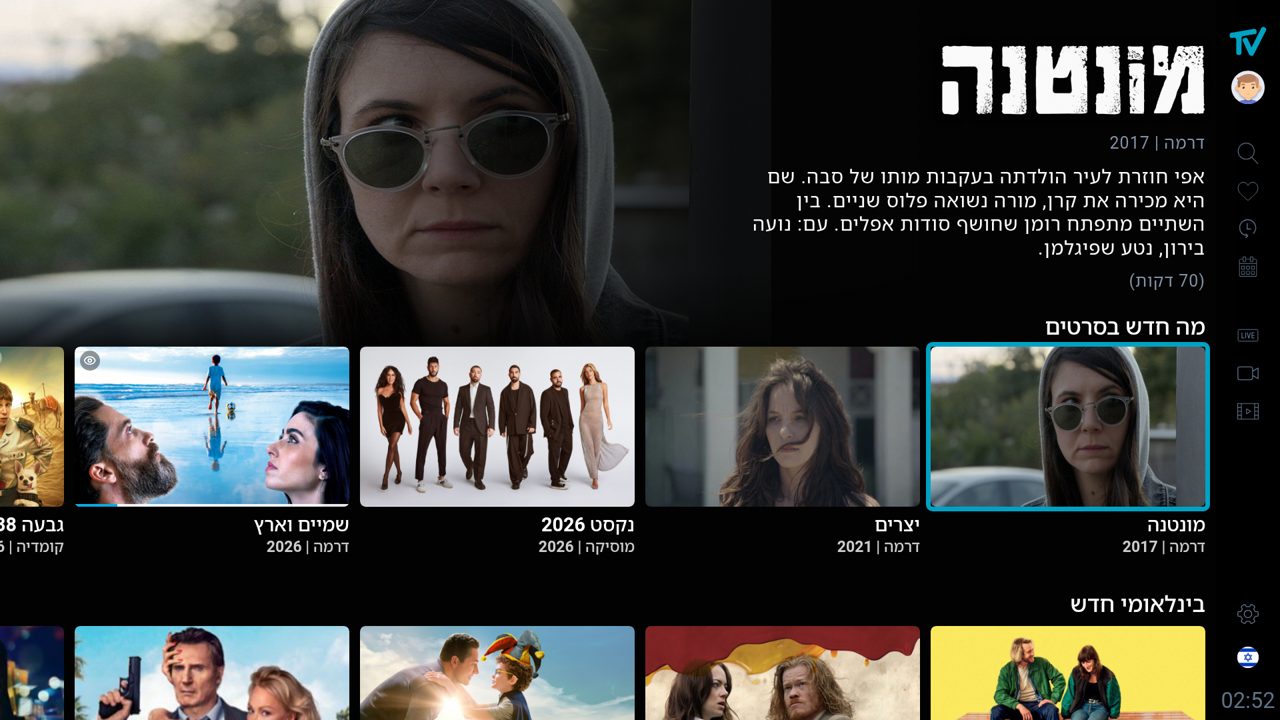
| Movie (vod item) | artwork.landscape, else showpic | artwork.landscape_no_logo, else the card picture |
| What's New episode | seriesImage (the show's cover), else the episode showpic | The episode showpic (episode frame) |
| What's New movie | vod.artwork.landscape, else showpic | vod.artwork.landscape_no_logo, else the card picture — the same rule as a catalogue movie; the What's New payload carries artwork on the vod, no extra request |
| Series page background | — | category.artwork.landscape_no_logo, else category.showpic |
Test title for the movie type
A movie that has the full set on production (apps-api.ipt.to): logoTitle in Hebrew (767 × 439) and in English (800 × 202), artwork.landscape (logo burned in) and artwork.landscape_no_logo, plus hasTrailer: true.
- Tab: ילדים (Kids, id
8889284) → category סרטי אנימציה בדיבוב עברי (id189; English name "Animated films in Hebrew dubbing") - Movie: החתול בעל 10 הנשמות ("10 Lives", 2024), vod id
159260 - Expected in both languages: the card shows the picture with the logo; the hero behind it shows the clean picture with the logo of the UI language drawn in the title slot (Hebrew logo in Hebrew, "10 Lives" logo in English). Two different logo shapes on one title, so it also checks the sizing formula.
- Test against production. On
api-devthis movie still returnslandscape_no_logo: nulland no EnglishlogoTitle, so there you would only see the fallbacks.
What's New row
- Title: the show's name, from
upper[upper.length − 2](the show); the episode's own name is shown as a second line under it. - Logo:
vod.logoTitle(the show's logo for the current language). - Genre / year line: hidden for episode items (
vod.type === "episode"). Shown for movie items. - Trailer: only when
vod.hasTrailer === true, called with the show id (upper[upper.length − 2].id) and typeseries; movies use their own id and typemovie. - No per-show requests: the row is built from the single What's New answer.
Title slot
The hero reserves a fixed box at the top for the title, so the rows below start at the same height for every show, whatever the logo's shape.
| Property | Value (fraction of screen) | At 1920 × 1080 |
|---|---|---|
| Box height | 16.2 % of screen height | 175 px |
| Box top | 1.4 % of screen height from the top of the hero area | 15 px |
| Box width | Hero text width, 36.5 % of screen width | 700 px |
| Alignment | Contents at the bottom of the box, on the start side (left in LTR, right in RTL) | — |
| Headroom under the logo | 1.6 % of screen height between the logo (or text title) and the next row, the same gap the text blocks keep | 17 px |
| Below the box | Episode title (What's New only), genre | year, description, duration (99 minutes) as the last line | — |
| Description lines | Series and Movies pages: 4 lines (What's New rows included). Telenovelas, Docu and Kids: 3 lines. Then an ellipsis. | — |
| Text leading (TV) | Description line height 1.85 % of screen width (font size unchanged, 1.5 %); the What's New episode title 2.2 % / 2.6 % of screen width. These keep four description lines plus the duration above the first row. | 36 px / 42 · 50 px |
| Logo shadow | drop-shadow(0 0.2vh 0.6vh rgba(0,0,0,0.6)) | — |
Logo sizing formula
The logos come in every shape, from portrait 0.44:1 to 13:1. Scaling them to fit a box makes wide logos enormous and tall ones tiny, so each logo is sized by its visual area and then capped. All lengths below are fractions of the screen width W, which keeps the result identical on every 16:9 screen.
// natural size of the PNG: naturalW × naturalH
r = naturalW / naturalH                // aspect ratio (default 2 when unknown)

AREA  = 0.0114 · W²                    // target visual area  (42 000 px² at 1920)
H_MAX = 0.082 · W                      // tallest allowed     (157 px at 1920)
W_MAX = 0.29  · W                      // widest allowed      (557 px at 1920)
H_MIN = 0.049 · W                      // shortest, if width allows (94 px at 1920)

h = sqrt(AREA / r)
h = min(h, H_MAX, W_MAX / r)           // caps
h = max(h, min(H_MIN, W_MAX / r))      // floor, unless the width cap forbids it
w = h · r

render the PNG at w × h (object-fit: contain), anchored bottom / start of the slot
Results at 1920 × 1080, measured over the catalogue:
| Logo shape | Example | Rendered size |
|---|---|---|
| Portrait (0.6:1) | אתה חייב לקרוא את זה | 94 × 157 px |
| Square (1:1) | המטבח המנצח | 157 × 157 px |
| Wide (2–3:1) | דה וויס, הכוורת | 285–350 × 120–147 px |
| Very wide (3.5–6:1) | ערב טוב עם גיא פינס | 385–400 × 100–110 px |
Text fallback (no logo)
When logoTitle is null the title is set as text in the same slot. Keep the font and size your app already uses for the title — there is no need to change them. The only requirements are that the text sits in the title slot (bottom of the box, start side, same headroom) and keeps the fallback image rules above.
For reference only, this is how the trial build styles it (not required):
| Property | Value |
|---|---|
| Font | Rubik Bold (covers Hebrew and Latin), fallback Noto Sans Hebrew / Roboto Bold |
| Size | On the TV layout the app's existing hero title scale applies (2.4 % of screen width, line height 3 %, 46 / 58 px at 1920), up to 3 lines |
| Case | Uppercase for Latin text (no effect on Hebrew) |
| Weight effects | Text stroke 0.05 % of screen width, shadow 0 0.3vh 0.9vh rgba(0,0,0,.75) + 0 0 2vh rgba(0,0,0,.35) |
| Lines | Up to 3 across the full hero width, then an ellipsis |
Trailers
- Request a trailer only when the item's
hasTraileristrue. Never call the endpoint blindly. - The TV app fetches the trailer URL 0.5 s after a card gets focus and starts playback 3 s after focus; moving the focus before that cancels the request.
- Endpoint:
GET /v2/play/trailer/{series|movie}/{id}?sid=…→streams[0]. The call needs a session; it is a play call, so no bursts.
Series page
The page a show opens to (season list on the start side, episode list in the middle). What changed:
- Top start corner (top right in Hebrew, top left in English): the title logo (
category.logoTitlefromGET /v2/vod/categories/{seriesId}/list) in a box 8 % of the screen height by 20 % of the screen width,object-fit: contain, or the text title when there is no logo. Under it the genre | year line. Both are aligned with the season names below them, on the start side (right in Hebrew, left in English). Nothing else goes in that corner. - Background: always prefer the clean picture,
category.artwork.landscape_no_logo, when the show has one; fall back tocategory.artwork.landscape, thencategory.showpic. - Header buttons (top end corner): info ⓘ, favourite ♡, sort ⇅, in that order from the start side. The info button appears only when the show has a
category.description. Up from the first episode lands on the info button. - About the series dialog (info button or Enter on it): the page has no room for the description, so it opens in a modal over the page: the title logo (or text title), the genre | year line, the description, and one Close button, centred, in the login button's focused style (solid action blue
#00A2C4, pill shape). Enter, Back and Escape close it; Up / Down scroll a long description; Left / Right do nothing. While it is open the page behind must not react to keys, and Back must not leave the page. - Which description: the selected season's own text, falling back to the show's
category.description; the dialog re-reads it when the season changes. Where it comes from today: the V2 list of a show (GET /v2/vod/categories/{seriesId}/list) returns every season item with an emptydescriptionand puts the newest season's text on the show (checked 24 Oct 2026 with המבט שלה, id 8892426, on production and api-dev), so the app makes one extra call per series page to the V1 endpointGET /vodcatesubs.php?id={seriesId}&locale=he|enand readsresults.subetcs.sons[].description, keyed by season id. Best effort: if that call fails the show's text is used. Backend to-do: return each season'sdescriptionon the V2 season items; then the V1 call can go, the app already prefers the V2 field.
See the series page pictures in Screenshots: the page as opened, the dialog, and the dialog with an older season selected.
Screenshots
Reference captures from the TV build at 1920 × 1080, Hebrew UI, taken on 23 October 2026. Click a picture for the full size. They show how each case should look; the exact shows change with the catalogue.
Series page (3 pictures)
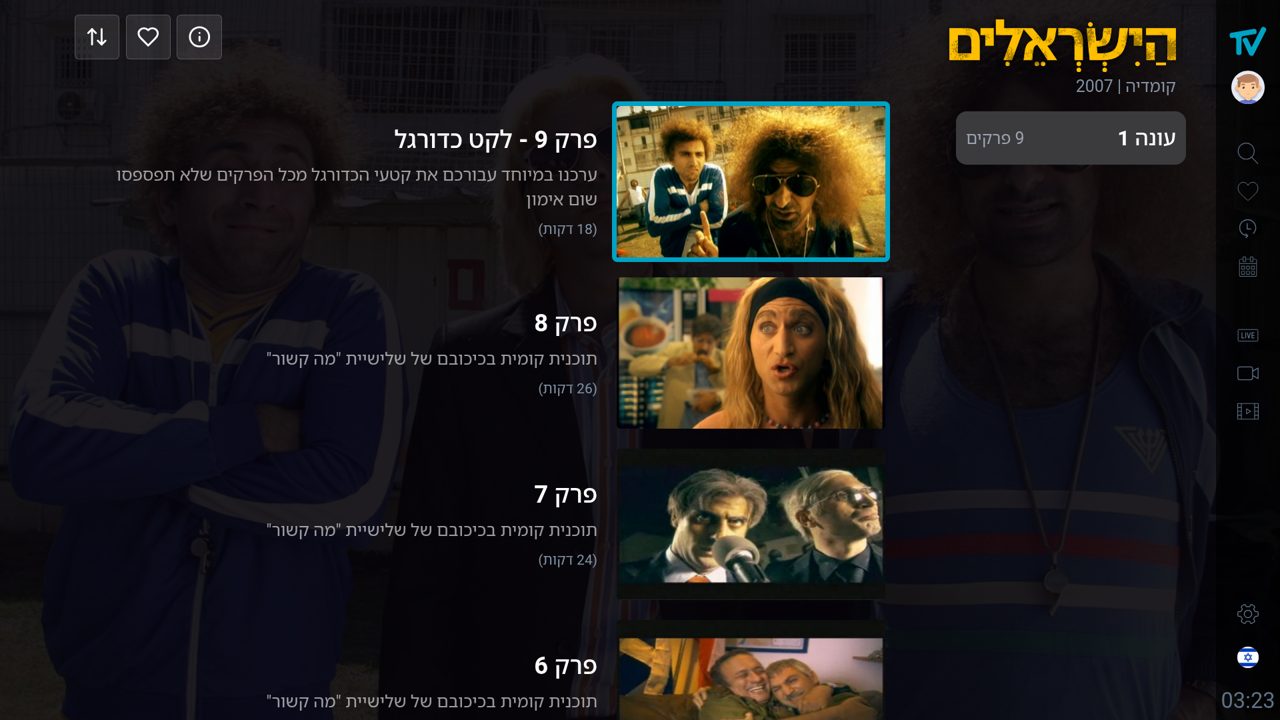
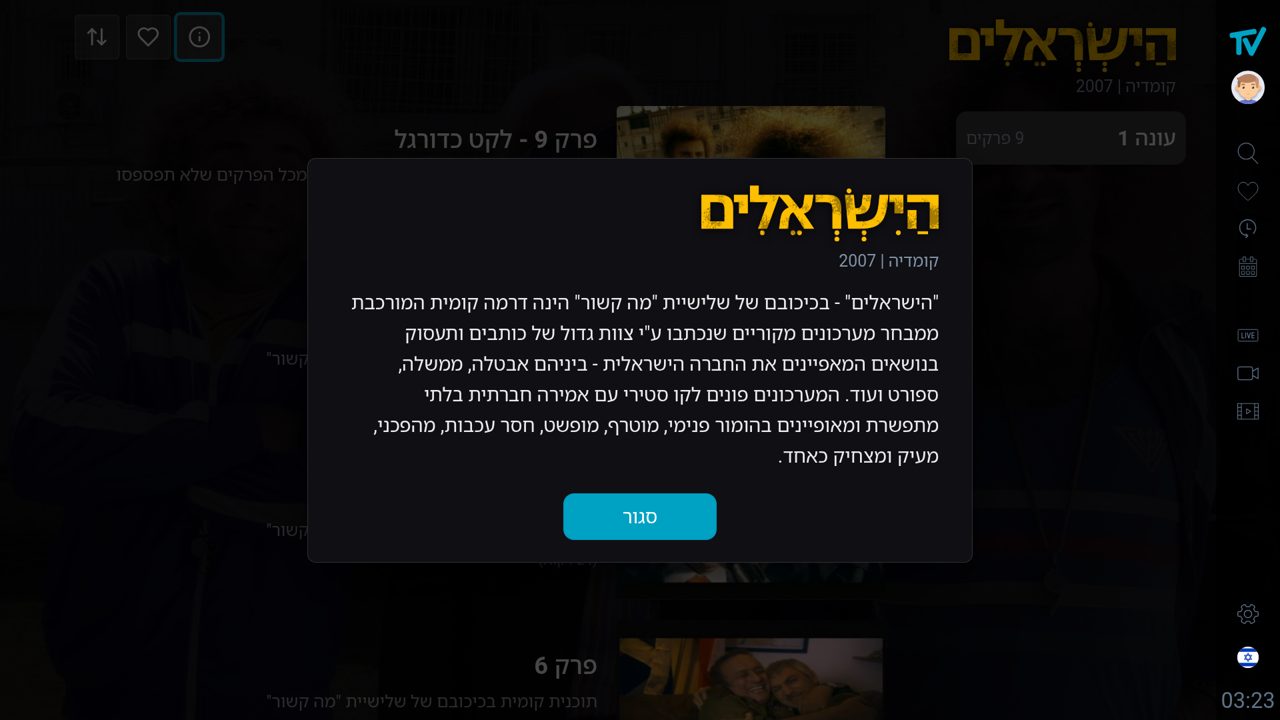
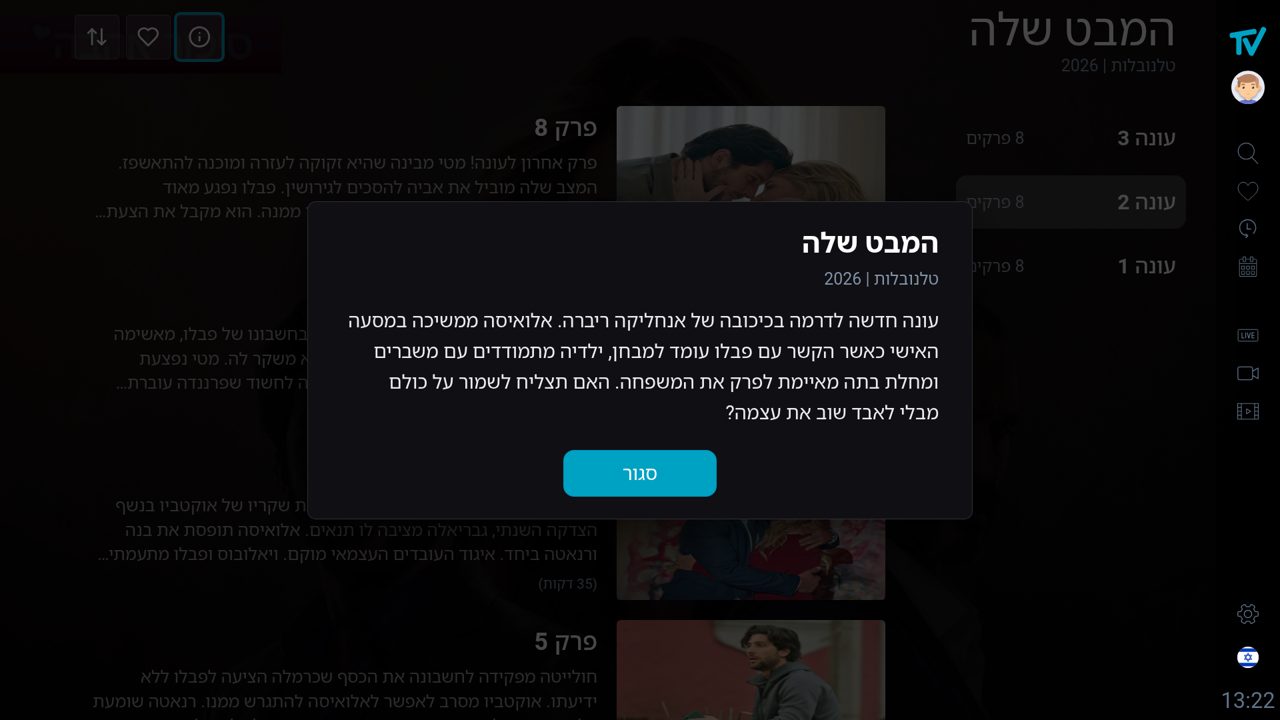
Series landing - What's New row
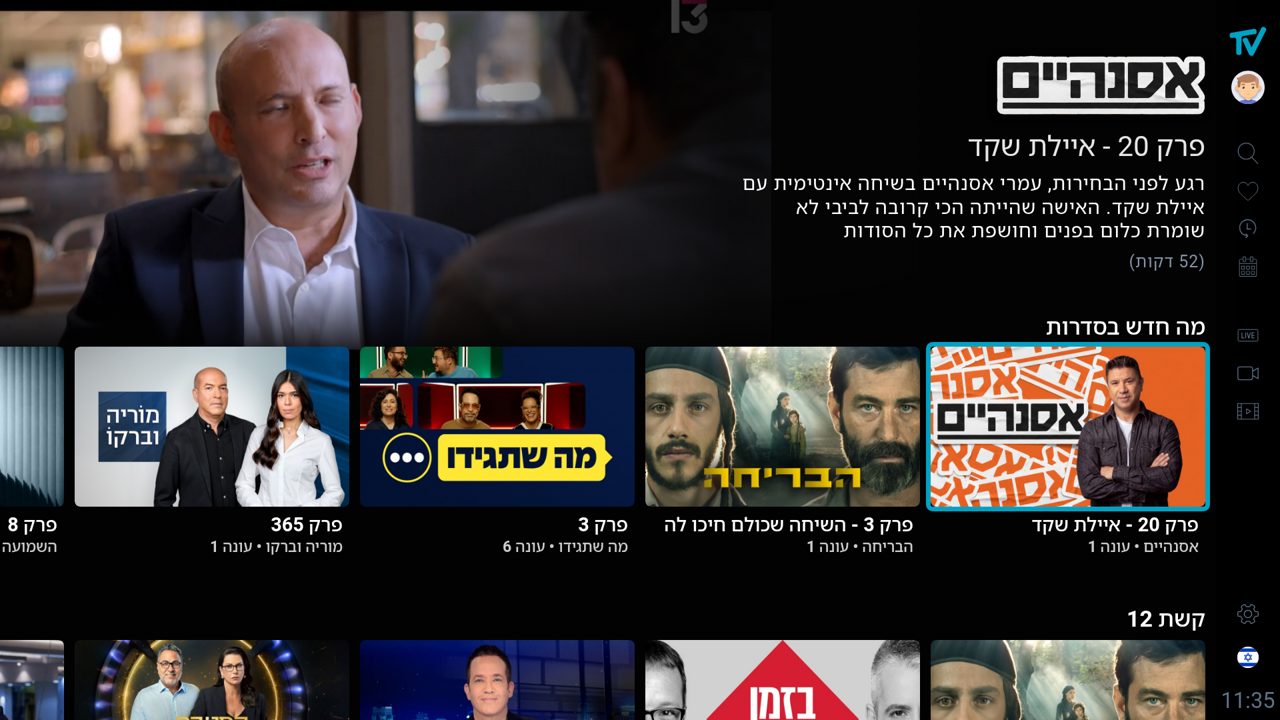
Series landing - broadcaster rows (the logo sized by the area formula, whatever its shape)
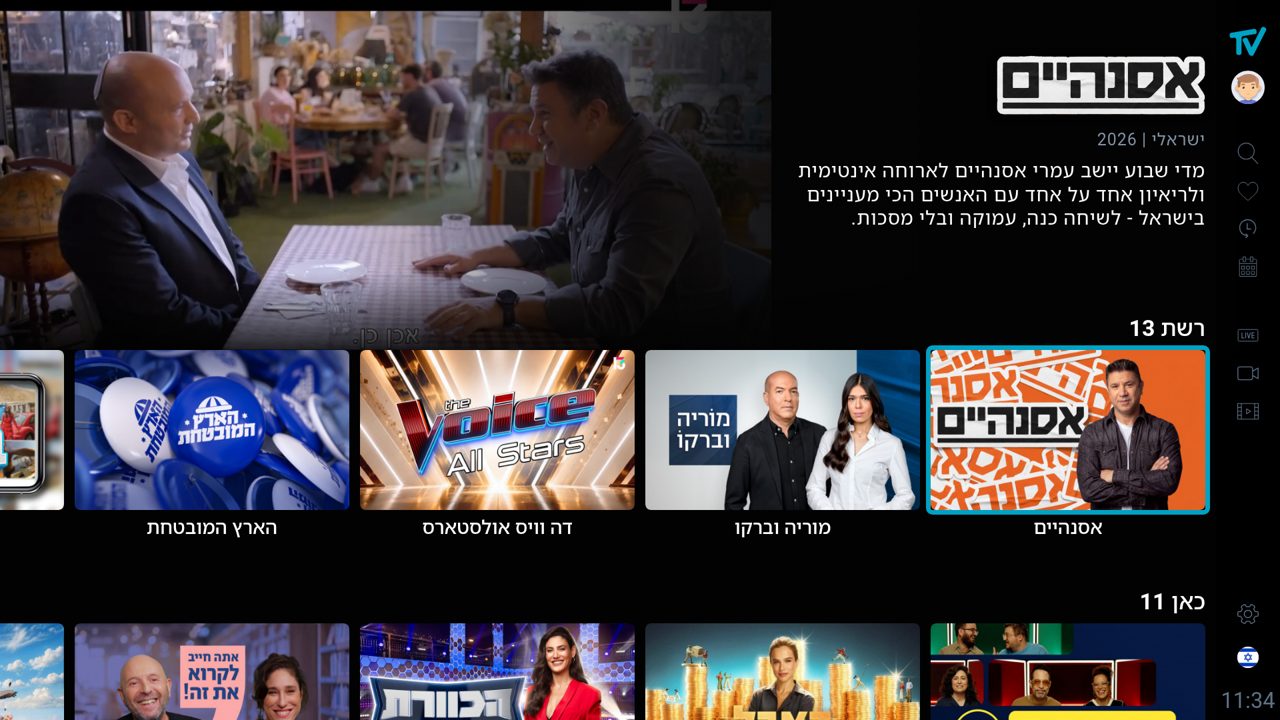
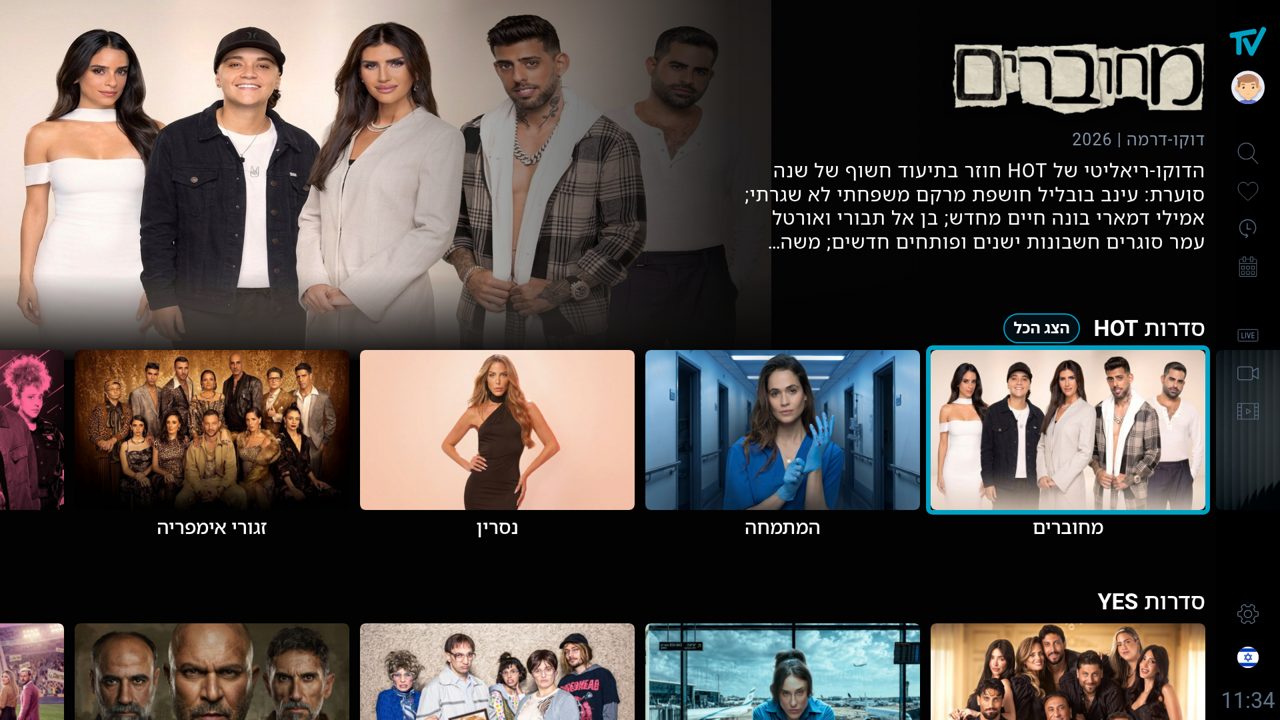
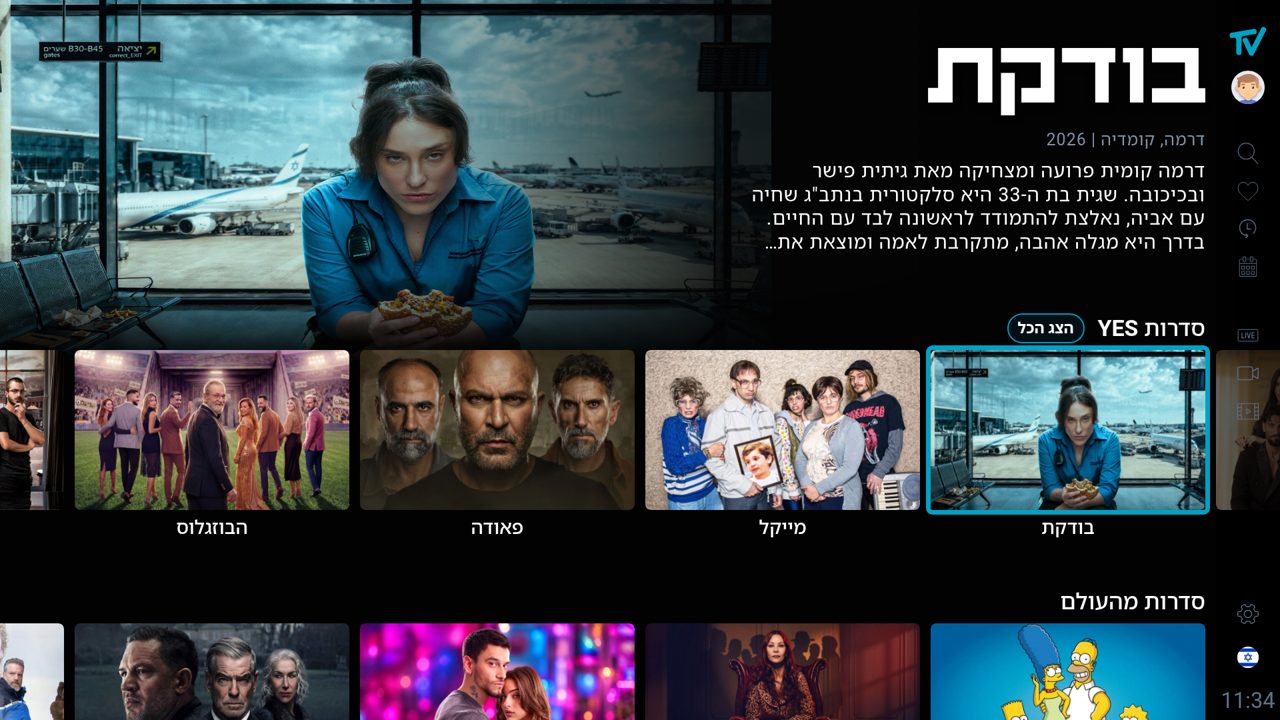
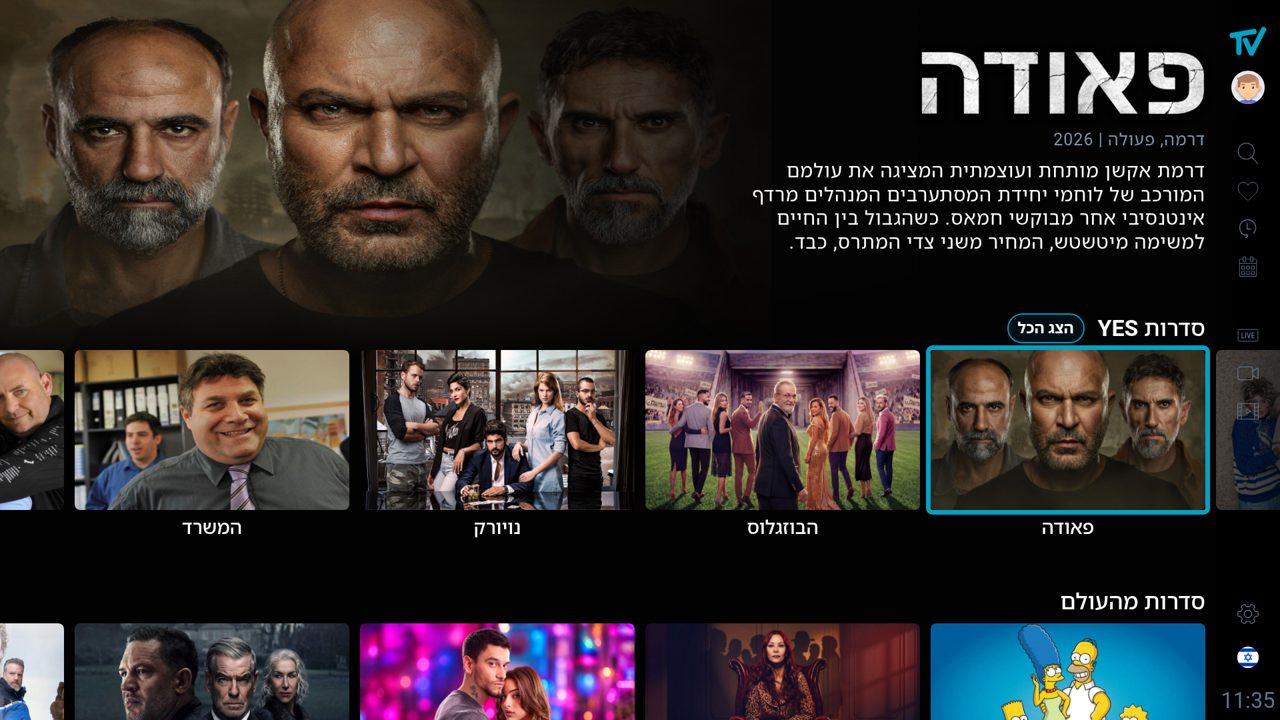
Four description lines (Series and Movies pages)
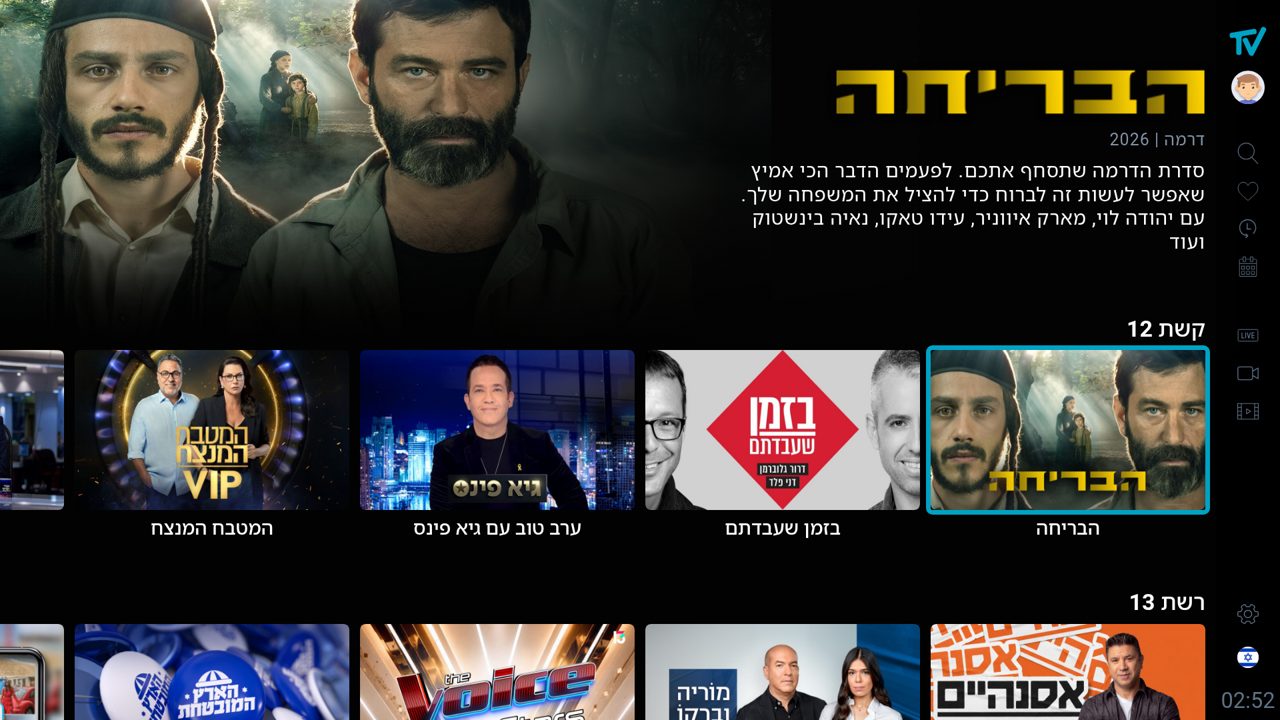
Implementation checklist
Catalogue
Read logoTitle, artwork.*, hasTrailer on list items and on results.category. Request in the UI language. Cache per language.
Pictures
Card = artwork.landscape → showpic. Hero = artwork.landscape_no_logo → card picture.
What's New
Episodes: card = seriesImage, hero = episode frame, title = show name + episode name, no genre / year. Movies: card = artwork.landscape, hero = artwork.landscape_no_logo. Logo = vod.logoTitle; trailer only if hasTrailer.
Title slot
Fixed box, contents bottom / start aligned; logo sized by the area formula with caps; text fallback in the logo style.